Make your first reel with Auto Reel
From a folder of clips to a finished vertical video in about five minutes.
Start a project
Open Landex and click + New project on the projects screen.
Bring in your clips
Drag your videos and photos onto the window, or click Import media files… in Sources.
Open Auto Reel
Go to the Automate tab and click Auto Reel.
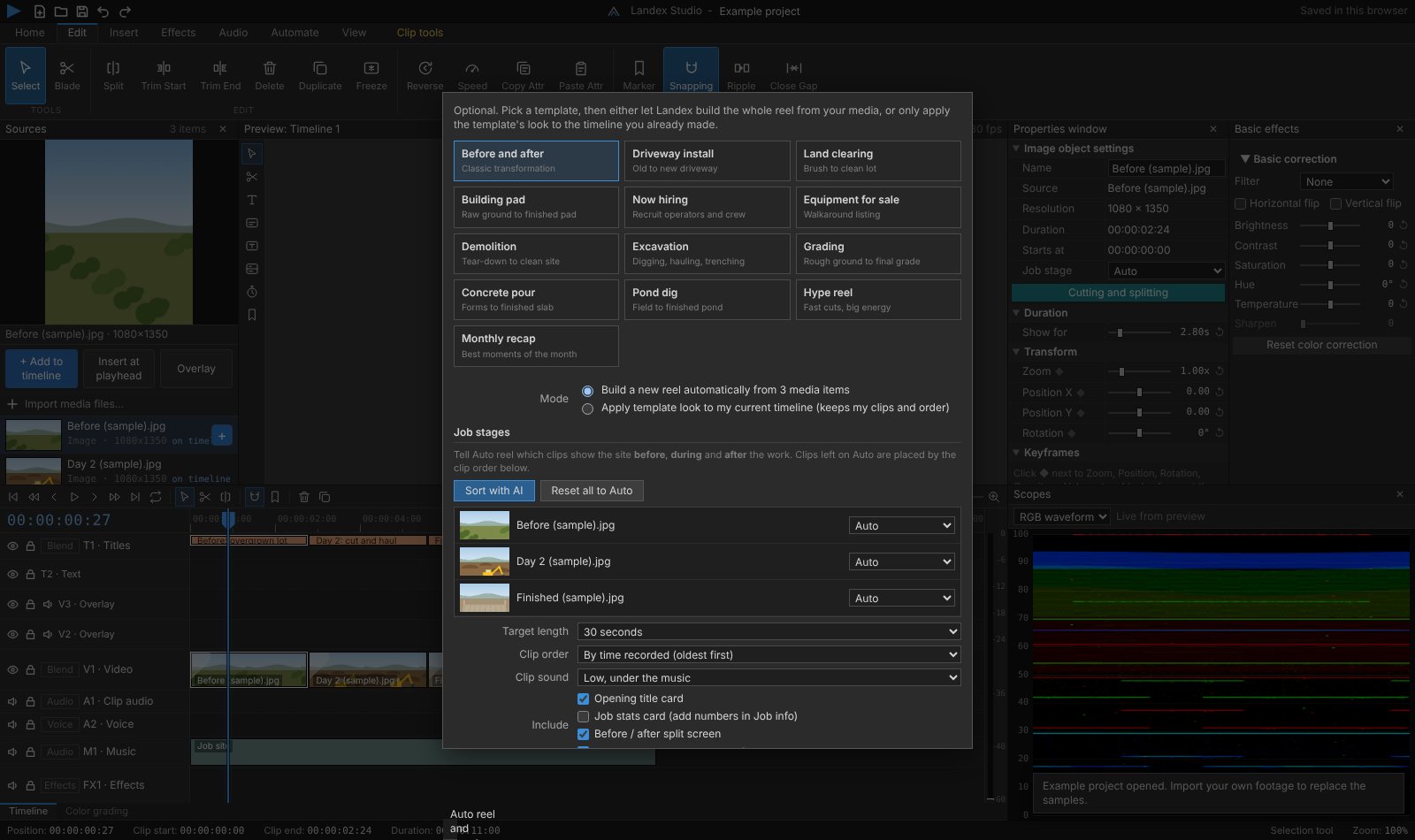
Pick a template and length
Choose a template, like Before and after or Hype reel, and a length. Leave the opening title and end card turned on.
Check the order
Each clip is marked Before, During or After. Change any that are wrong, or click Sort with AI to let Landex decide.
Build it
Click Build reel. The reel lands on the timeline. Press Space to watch it.
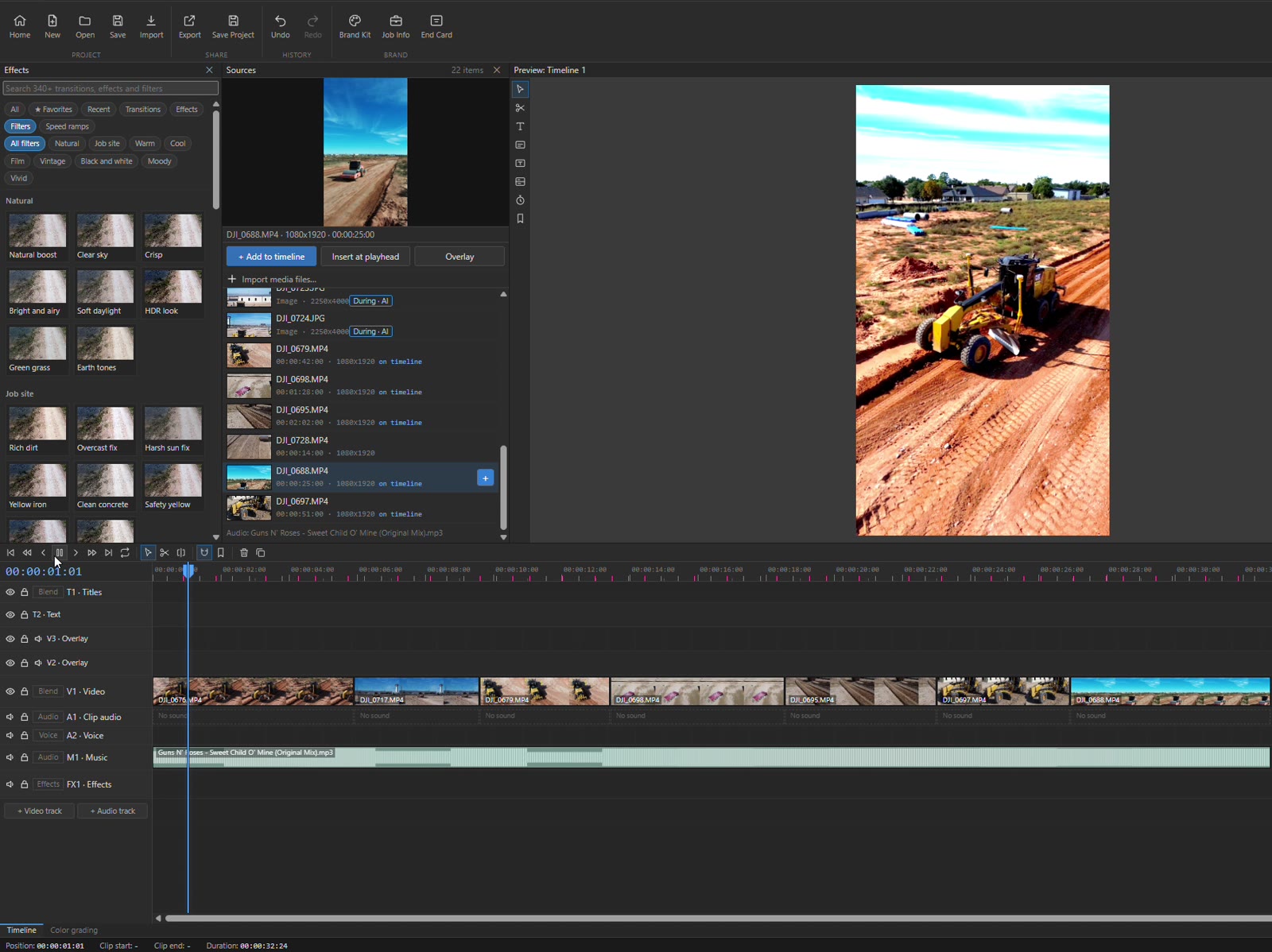
Export
Click Export on the Home tab, pick 1080 x 1920, and click Export again. Save the file and post it.
More guides
- 3 min
Add your logo, phone number and end card
Set your brand once and every reel uses it.
- 4 min
Use transitions, effects and filters
Find the right look fast in a library of 343.
- 3 min
Add music, cut it to the chorus and fade it
Start the song where it gets good and fade it out at the end.
- 2 min
Export for Instagram, TikTok and YouTube
The right settings for each app, and when to use 60 fps.