Edit like a pro. Skip the learning curve.
Landex Studio is a video editor that runs right in your browser. Drop in your clips and Auto Reel builds a first cut with titles, music and your branding. Then fine-tune every frame on a real timeline.
Free during early access. Works in Chrome and Edge on Windows and Mac. No credit card.
From raw clips to a finished video in four steps.
- 00:00
Bring in your clips
Drag in video and photos from your phone, camera or drone. 4K and iPhone video included.
- 00:05
Let Auto Reel cut it
Pick a template. Landex finds the best moments and puts them in order with titles and music.
- 00:10
Make it yours
Trim, add text, music, transitions and effects. Your logo and contact info go on automatically.
- 00:15
Export and post
Vertical MP4 for Instagram, TikTok, YouTube Shorts and Facebook. Up to 4K at 60 fps.
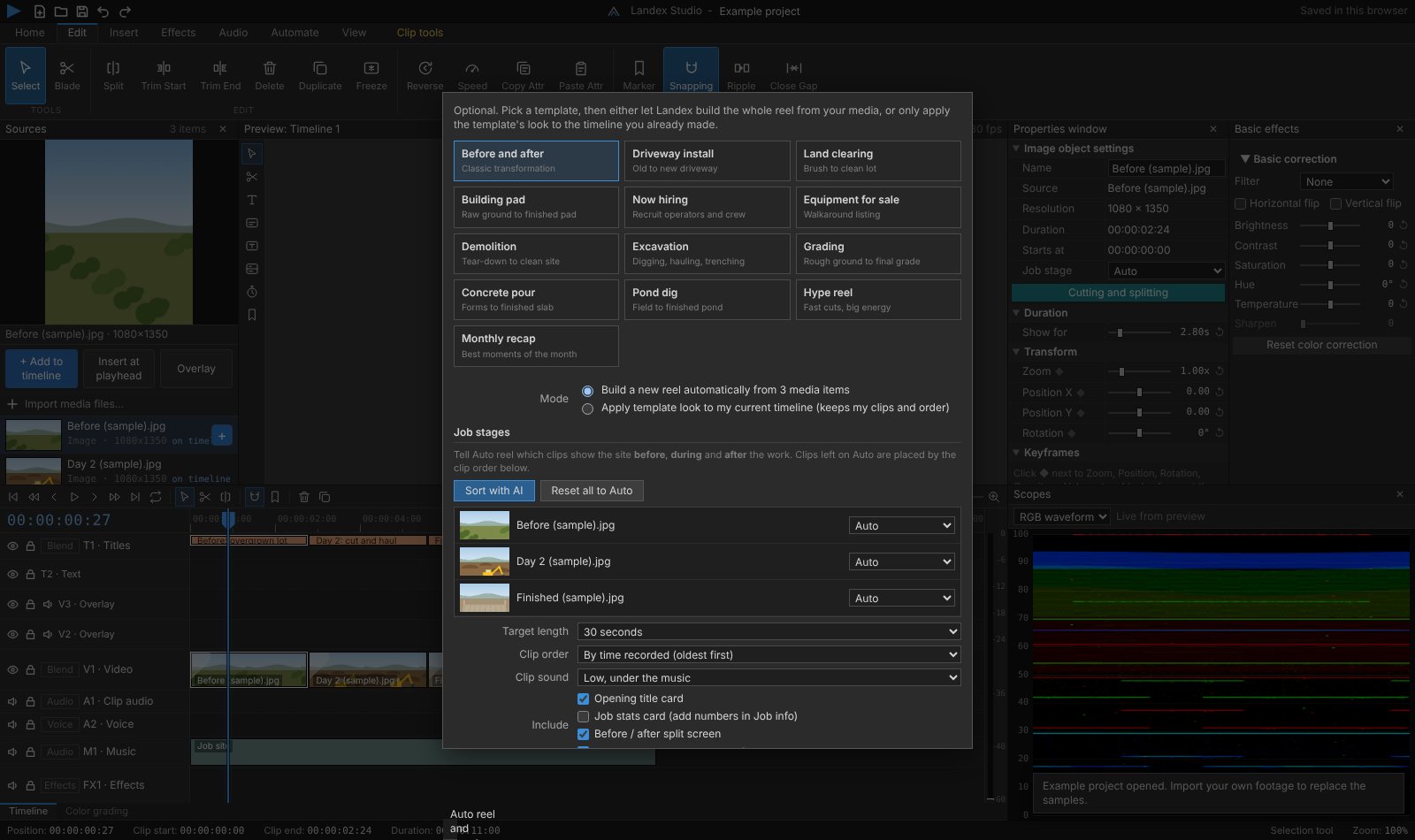
Auto Reel builds the first cut for you.
Pick a template and a length. Landex puts your clips in order, picks the moments with the most action, and adds titles, transitions, music and your end card. Then change anything you like.
- Before and after, recap, hype, hiring and for-sale templates, 15 to 60 seconds
- Sorts clips into a story, or you set the order yourself
- Opening title, stats card and before / after split screen
A real timeline when you want control.
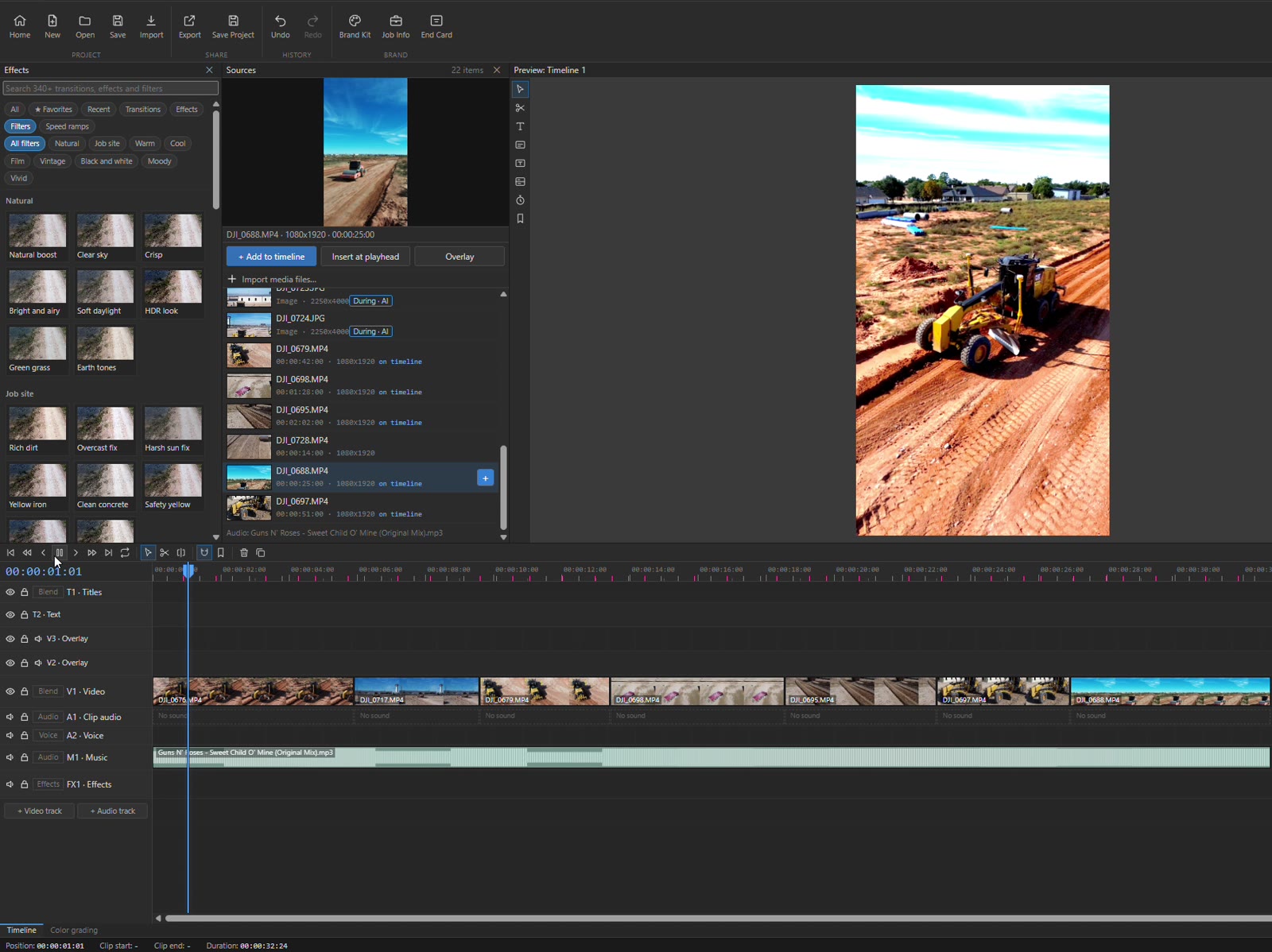
Everything Auto Reel does, you can change. Landex has the tools you'd expect from a pro editor, laid out so they're easy to find.
- Video, text and audio tracks you can add, rename and hide
- Split, trim to the playhead, ripple or leave gaps, snap to edges
- Keyframes for zoom, position, rotation, opacity and volume
- Right-click menus on everything
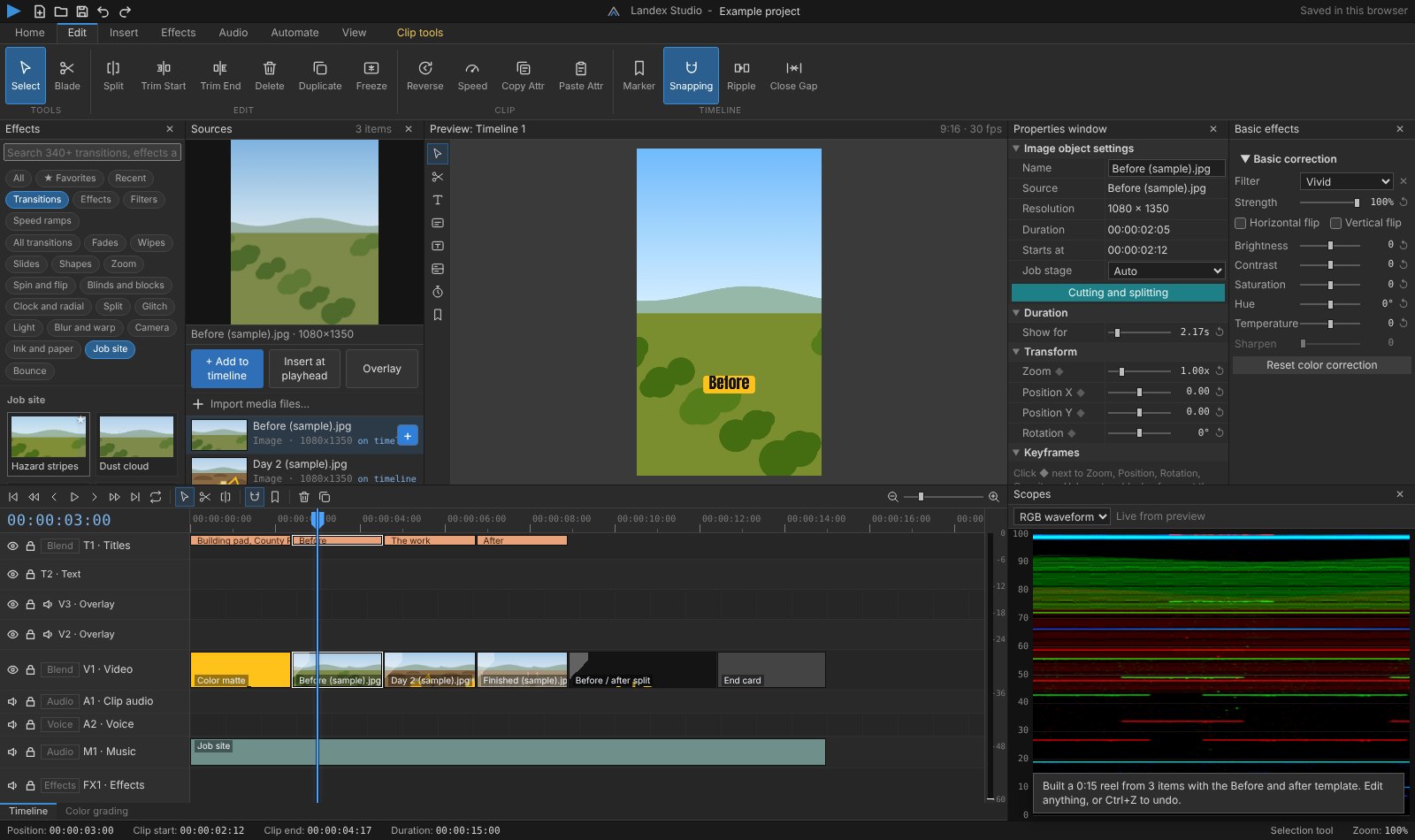
343 transitions, effects and filters.
169 transitions, 96 effects and 78 filters, sorted into families so you can find the right one. Hover any tile to see it play. Star the ones you use most.
- Cross dissolves, whip pans, glitches, light leaks and shape reveals
- Film grain, VHS, camera shake, slow push-ins, rain and snow
- Film looks, moody, vivid and black and white filters
Color that makes your footage pop.
Pick a filter and set its strength, or open the color page for wheels, curves, film looks and your own LUTs. Copy a grade to every clip in one click.
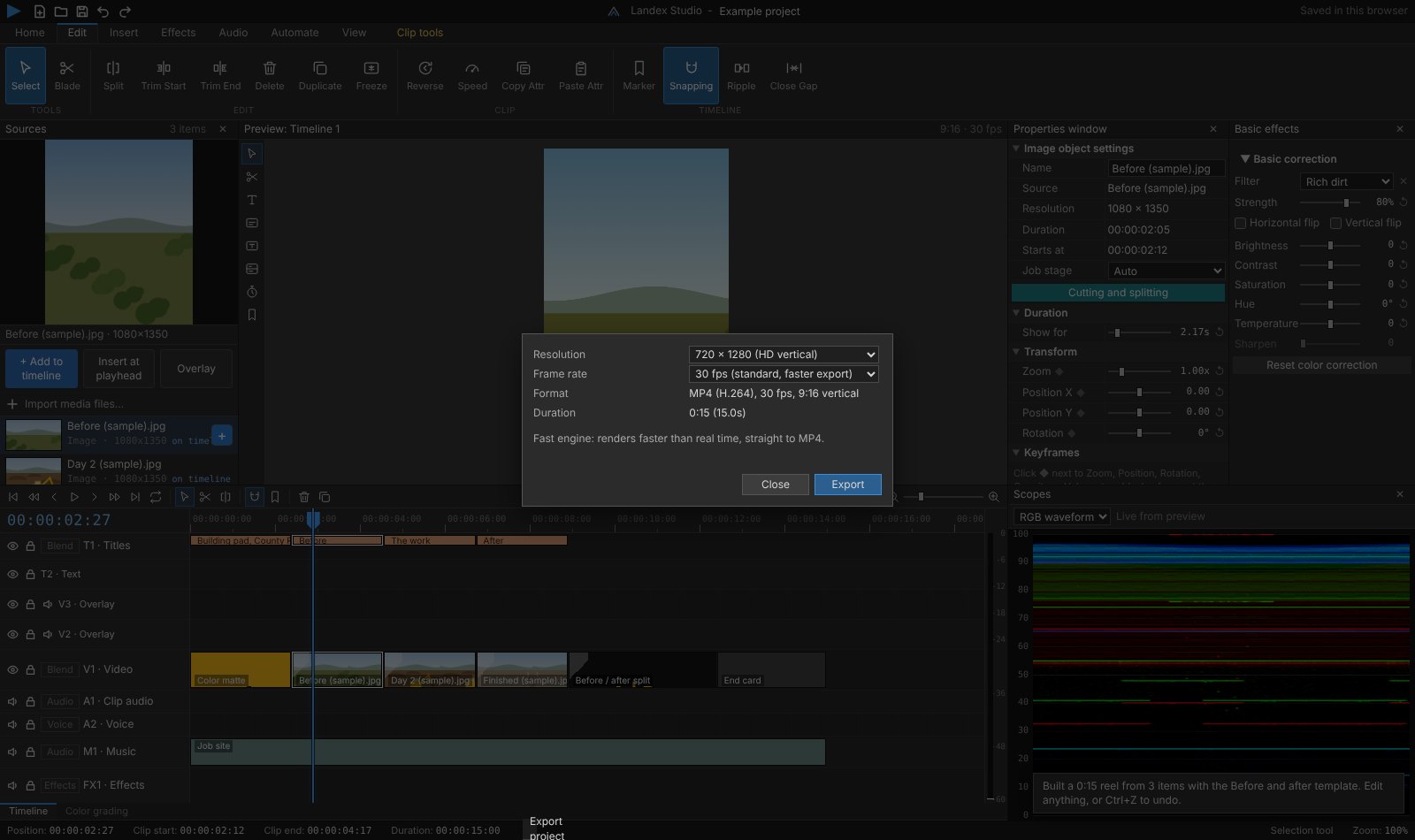
Export in minutes, not hours.
Landex renders faster than real time on most computers and writes a standard MP4. Choose 720p, 1080p or 4K, at 30 or 60 frames per second.
And the rest of the toolbox.
Captions from speech
Turn what you say on camera into word-by-word subtitles. Runs on your computer.
Your brand on every video
Logo, colors, name and contact info, set once and used everywhere.
Voiceover and clean audio
Record narration while the video plays. Reduce background noise, and lower the music under your voice.
Background blur and cutout
Keep the person sharp and soften everything behind them.
Motion tracking
Pin an arrow, circle or emoji to something moving and it follows along.
Speed ramps and reverse
Slow down the big moment, speed through the rest, play a clip backwards.
Works offline
Install the desktop app and keep editing with no internet.
Your projects, everywhere
Sign in and your projects and clips follow you from the office to home.
Music you're allowed to use
Built-in tracks and sound effects made for Landex, or bring your own song.
Free while Landex is in early access.
Every feature, no watermark, no credit card. Paid plans will come later, and you'll hear about them before anything changes.